
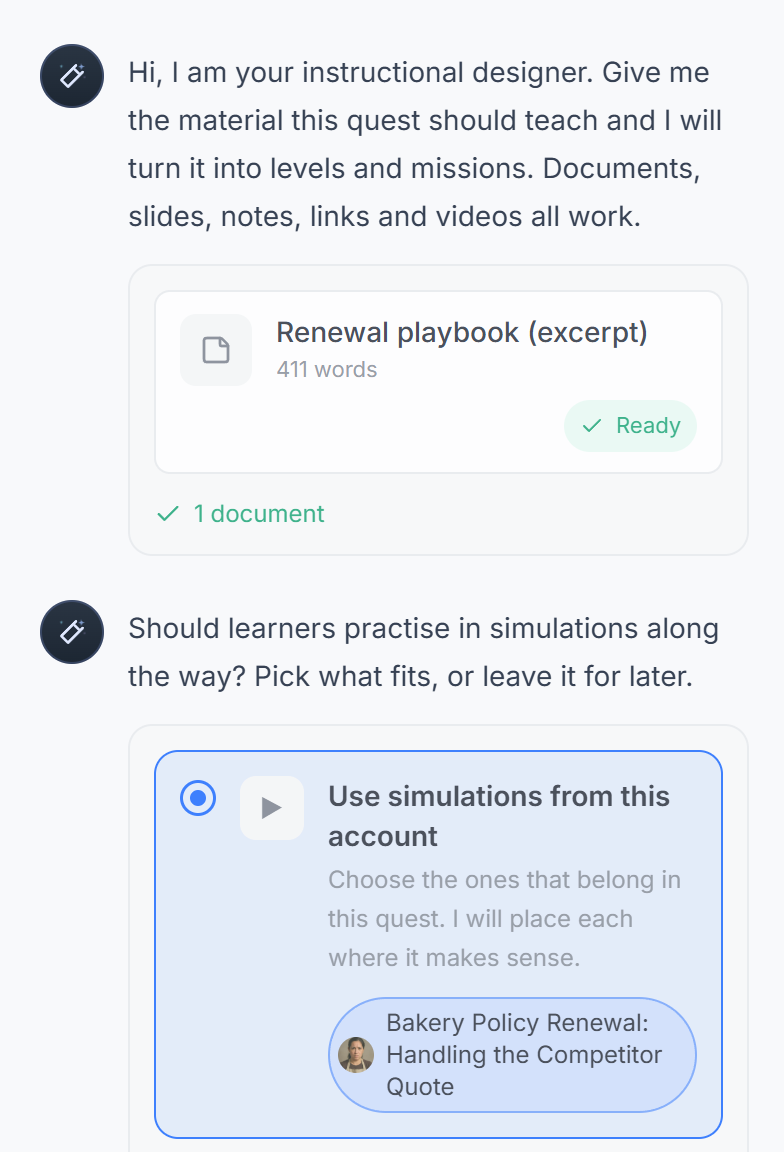
Bring the playbook, policy or course you already have. An AI assistant drafts the Quest: short missions that end in practice conversations scored on your skills. Your experts check every mission, so what launches is right.
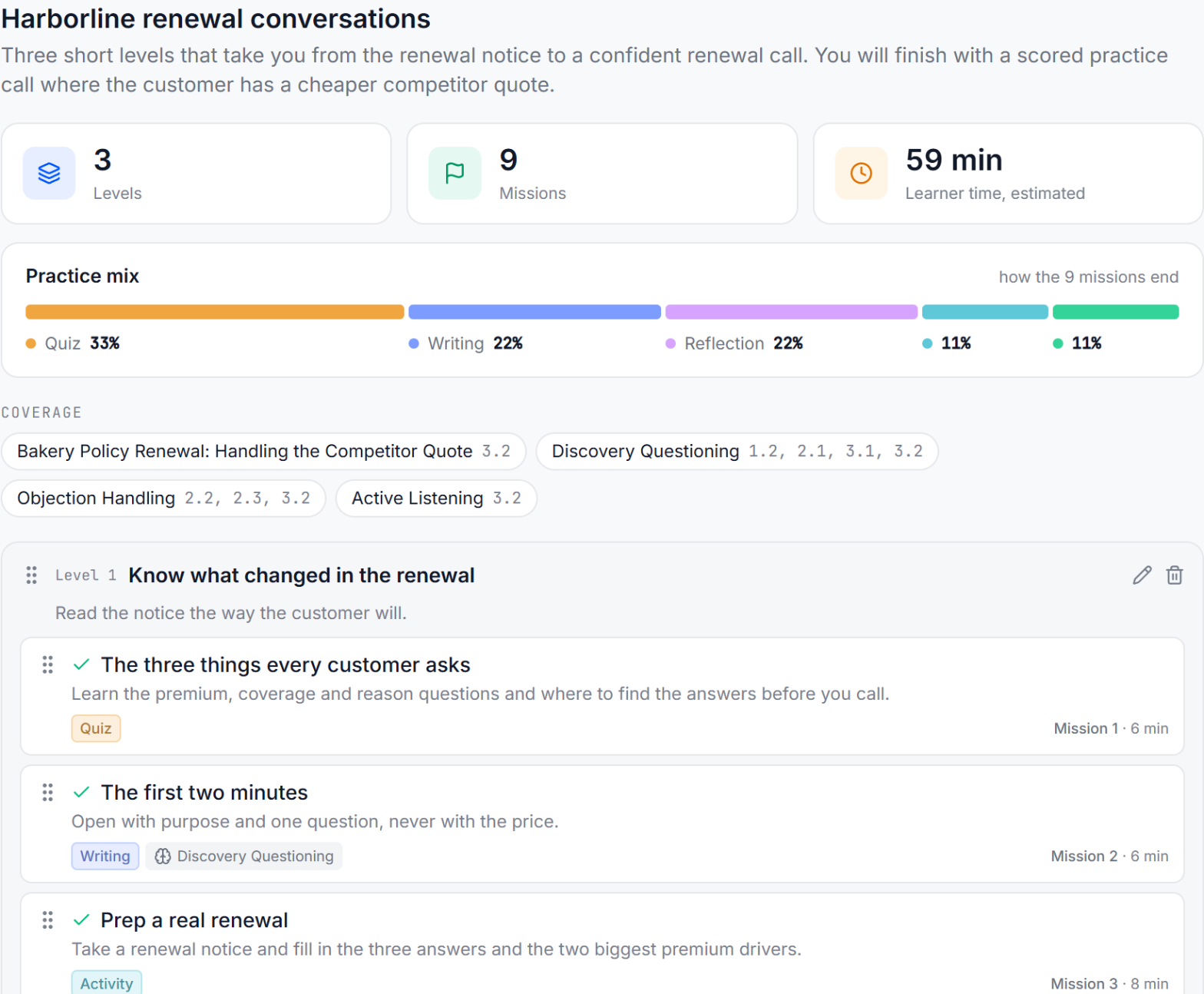
A Quest is a short set of missions that ends in a scored practice conversation. It is built around the conversations a role has to get right, runs in levels, and each practice conversation is scored 1 to 5 on each skill. A learning path is a series of Quests for one person or a cohort, based on their role and needs. Finishing a Quest shows how each person performed in practice, not just that they attended.
Web pages, Google Docs, Drive, Slides, YouTube or Vimeo, uploaded files, or pasted text.
Who the learners are, what they need to do differently and which skills matter.
The AI drafts levels and missions. Rename, reorder or remove any of them.
Each mission gets its text, a picture and its practice, written from your material.
Your experts read every mission. Then myQuest creates the Quest as a draft, and you publish it.
Speed matters less than getting it right. AI writes the first draft, so your experts can spend their time checking it and adding what only they know.
AI is built into myQuest: Quest Studio builds a Quest from your own material. There is also a myQuest connector (MCP) for Claude and for ChatGPT, so people can build Quests from inside Claude or ChatGPT. Those builds go into Quest Studio for your experts to review.
Insert a ready-made practice conversation into any Quest, then adjust it to your products and policies.
Assign a Quest to one person, a whole cohort, or make it a step in a learning path. Practice scores are added to the skill map, so you can see who is ready on each skill.
Send a Quest to one person, such as a new hire or someone a coach wants to work with.
Assign a team, a region or an onboarding class in one step.
Add the Quest to a learning path: a series of Quests for one person or a cohort, based on their role and needs.
Quests and practice conversations can be built in many languages, and translation is available, including right-to-left languages. Learners practice in the language they work in.
Yes. An AI assistant drafts the outline and missions, including practice conversations with AI characters, from your web pages, documents, slides, videos or pasted text. Your experts review every mission before anything launches.
Yes. You can insert ready-made practice conversations into a Quest and adjust the scenario, character and skills to fit your products and policies.
Yes. There is a myQuest connector for Claude and for ChatGPT that lets people build Quests from inside either one. Those builds go into Quest Studio for review.
You do. A finished build becomes a draft Quest. Nothing reaches learners until you publish it, and missions you edited by hand are only replaced if you agree.
Assign it to individual people, to a cohort, or add it as a step in a learning path.
Many languages, with translation available, including right-to-left languages such as Hebrew and Arabic.
A typical pilot runs 30 days. You'll work with a myQuest instructional designer who runs your pilot, and we'll decide together what success looks like.